
Axon Core — free
Forecast with confidence bands, outlier flags, and regression. Available without an account.
Open an Excel or CSV file, build the charts and report you'd show your team, and save it as one file. Your data stays on your computer.
Free to start. No account needed. Works offline on Mac, Windows and Linux.
Used by professionals at.


Organization affiliations are based on individual user sign-ups and do not imply endorsement or partnership.
Who it's for
Pick your role and see the job Desk takes off your plate. Every workflow starts with a file you already have.
FP&A and finance teams working from ERP and accounting exports.
Why Anthrena Desk
Built for people who cannot — or simply choose not to — send their numbers to someone else's server.
Opening a workbook does not upload data to Anthrena. Charts, sheets, and connection settings live on your machine. Crash reports stay on disk until you choose to send them.
Your numbers never become someone else's dataset.Data view is your spreadsheet. Report view is your canvas. Same .asbx file. Cells, pivots, charts, and pages save together — double-click to reopen anywhere.
Welcome offers Sample, Create, or Open. Unregistered Free imports files, builds reports, and saves workbooks. Sign-in is optional — it unlocks more rows and Plan plugins.
Try before you talk to sales.Type = and get autocomplete for live functions only — no catalog of stubs. 410 implemented formulas across calc, finance, statistics, matrix, and probability packs.
Axon forecasts with confidence bands, flags outliers, and runs regression — as sheet formulas. Optima brings Excel-familiar Solver and Goal Seek with Simplex, GRG, and Evolutionary methods.
Forecast and optimize without a cloud model.Your analytics workspace
Sheet, canvas and pages are three views of the same workbook.
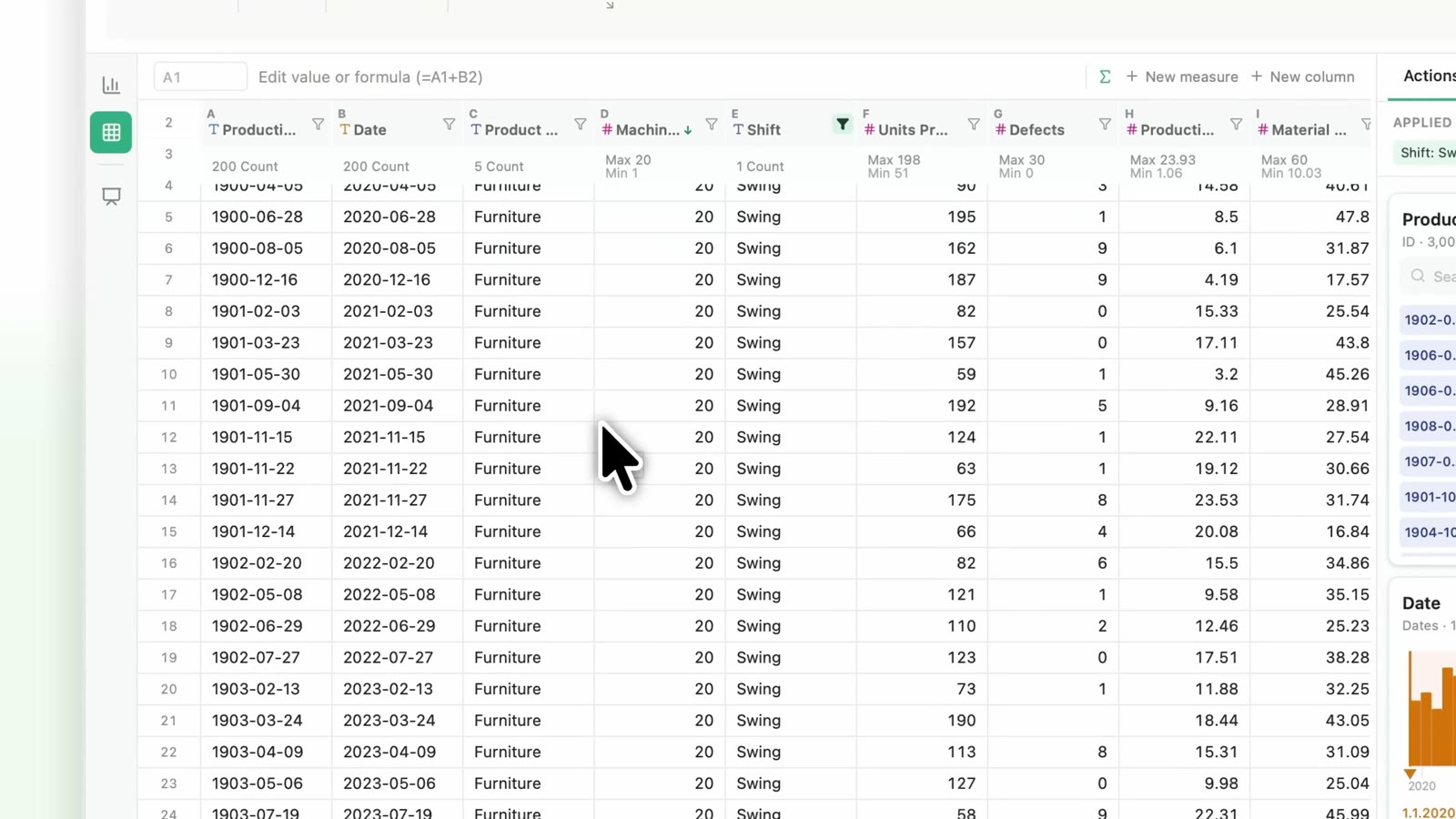
Open Excel or CSV and work in a familiar spreadsheet. Formulas, filters and pivots stay on this machine.
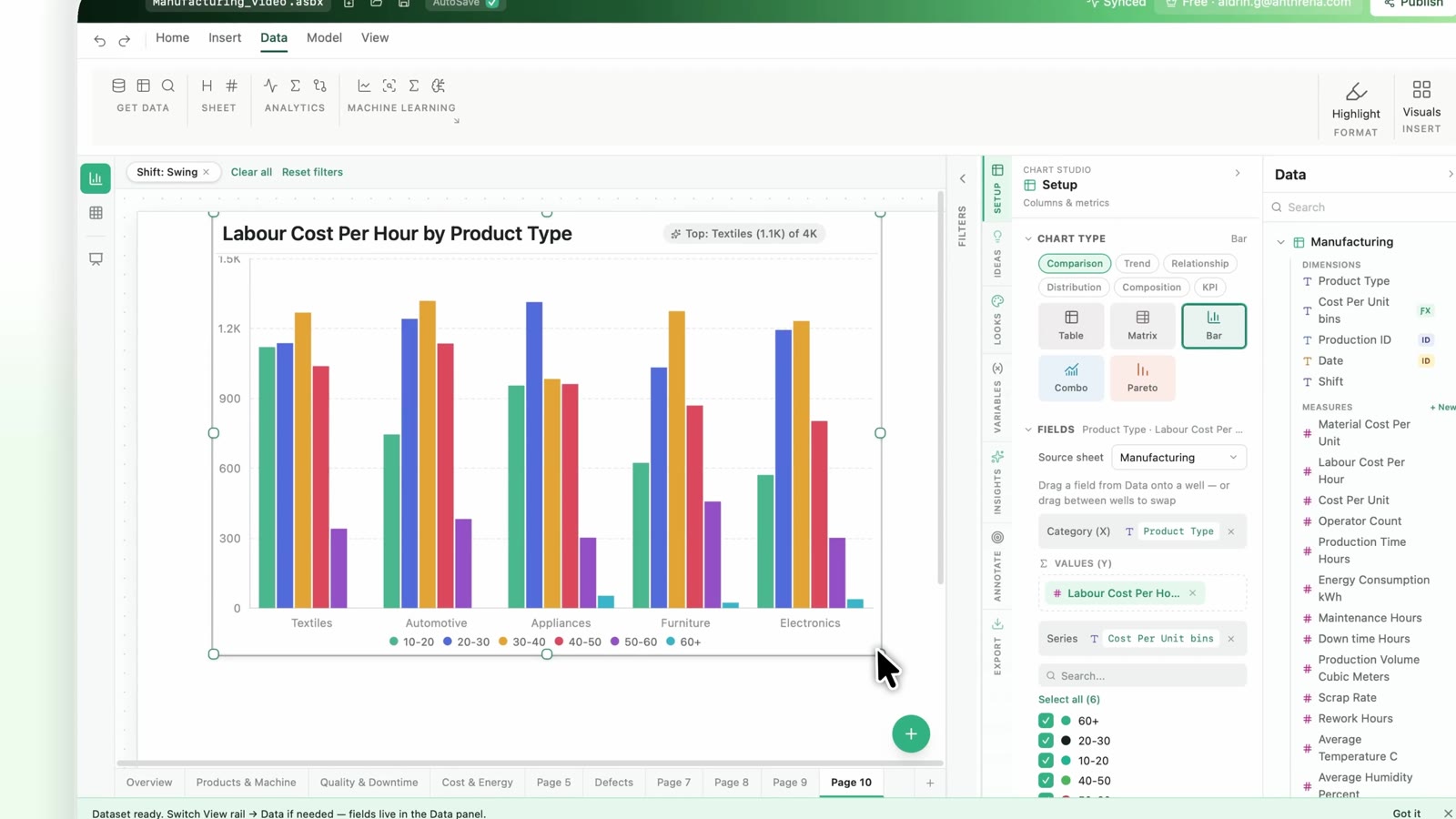
Drag fields onto a report canvas and build charts that make trends, comparisons and patterns easy to see. Same .asbx file as the sheet.
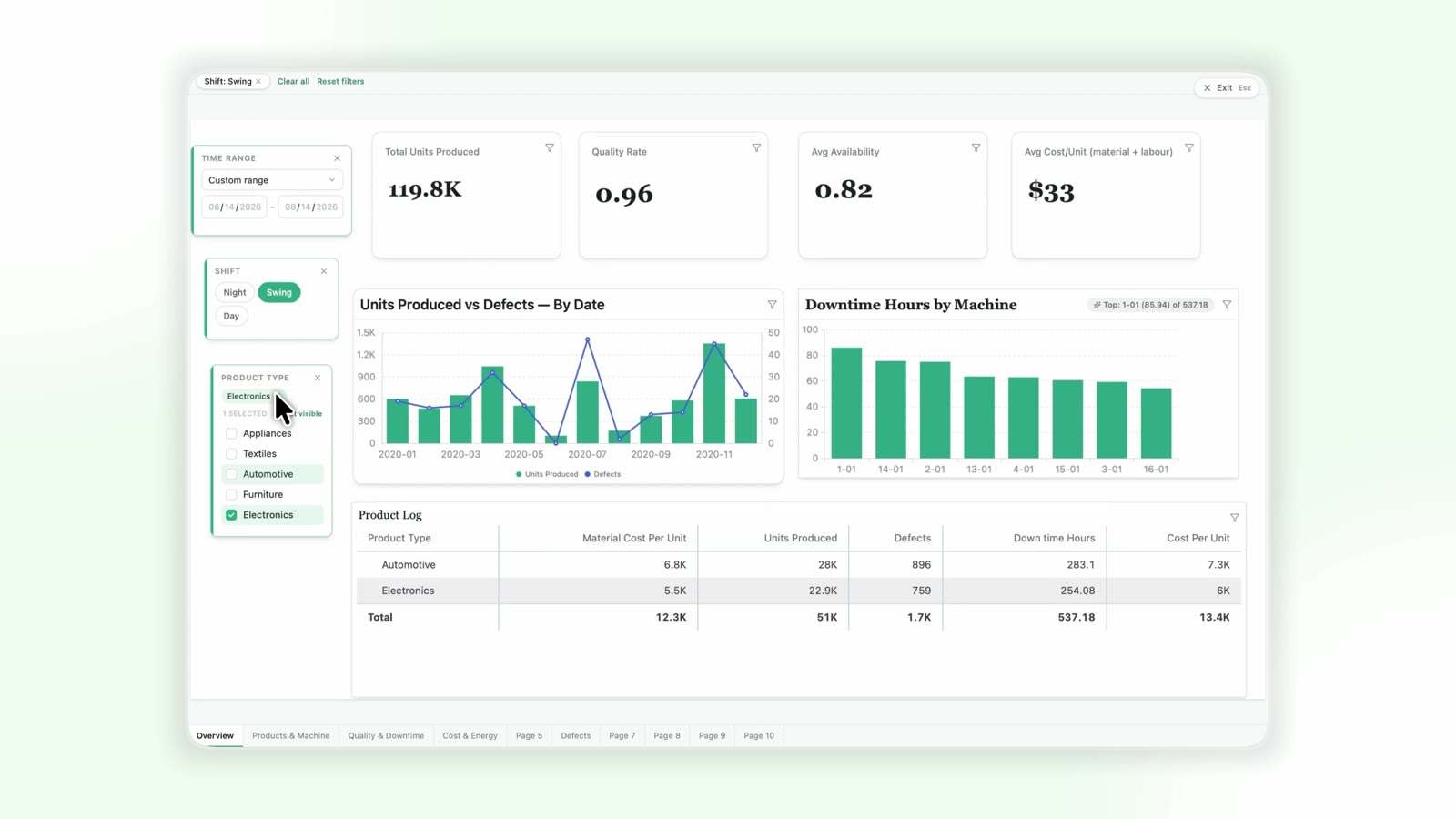
KPI cards, live filters and F5 presentation mode. A report people can interact with, not a static slide.
Go deeper
28 chart types, 410 working formulas, and on-device forecasting and optimization.
Charts
Drag fields onto wells. Every chart supports Top-N, trellis, dual axis, trendlines, annotations, and sparklines on tables.
built-in chart types + geo maps
Formulas
Type = and get autocomplete for live functions only — not a catalog of stubs. If it appears in the list, it runs.
Calc, rounding, text, dates, logic, lookup, cell info
No accountDistributions, hypothesis testing, regression
No accountNPV, IRR, bond pricing, depreciation
ProLinear algebra, probability, scientific
Proimplemented formulas with worked examples
// Axon forecast — runs locally, no API call
=AX.FORECAST(revenue_data, 12, "monthly")

// SmartField — whole-column formula
=IF([Age] < 25, "Youth",
  IF([Age] < 60, "Adult", "Senior"))

// Finance pack — IRR over 5 years
=IRR(cashflows_range, 0.1)
Axon + Optima
Forecast with confidence bands, find outliers, run regression, optimize constraints — all as sheet formulas. No spreadsheet sent to a cloud model.
Forecast with confidence bands, outlier flags, and regression. Available without an account.
Predict, cluster, PCA, and named model builder. Train and run on-device.
Excel-familiar Solver and Goal Seek. Maximize, minimize, constraints. Simplex, GRG, Evolutionary. Answer reports.
Axon Forecast Preview
=AX.FORECAST(B2:B14, 3, "monthly")
// confidence band: ±8.2%
Trust & Security
What IT asked for: local files, signed plugins, credentials that stay on the machine. Limits live under Pricing.
Workbook contents never upload to Anthrena. Journey telemetry is sparse, batched, and never includes file paths, SQL, or workbook data.
Database passwords are encrypted at rest on the machine. Live connectors run SELECT-only queries — no writes, no schema changes.
Plugins are signed. Unsigned packages refuse to load in normal builds. macOS builds are Developer ID signed and notarized.
Pro license verifies offline after a one-time unlock. Works without internet until the key expires.
Crash reports stay on disk until you choose to send them. Nothing leaves your machine without explicit user action.
Desk workbook · .asbx
Open in Desk Viewer — no install
The .asbx format
Double-click to open. No cloud account required on the other end. The full layout — sheets, reports, charts, and pages — travels in a single portable file.
Send the .asbx file anywhere. Recipients with Anthrena Desk Unregistered Free can open, filter, and explore it immediately.
Hit F5 in Presentation mode. Filters and cross-filters stay live — no static screenshot handouts.
PDF, PowerPoint, PNG charts, CSV from any tile — for stakeholders who don't use Desk.
Pricing
No account: 50,000 rows. Sign in on Desk for Free — 100,000 rows and Plan plugins. Pro is one unlock: monthly, annual, or buy it once.
Download Desk, then sign in on the Mac. That attaches Free — more rows and Plan plugins, no license key.
One license, one Mac. Checkout in India is rupees. Annual is ten months; perpetual is billed once, then works offline.
Enterprise
Desk is the desktop app. Studio is the team cloud — governed workspaces, a shared metric layer, private cloud to air-gapped.
Education
Enrolled at a college or university? Sign up with your college email and we'll get back to you with your education discount.
A little more clarity
No. The interactive preview on this page uses preset answers and clearly labeled sample data. It does not connect to a model or process uploaded files. Axon forecasting and regression in the app run on your device, as sheet formulas.
People who analyze business data in Excel or CSV: finance, sales, operations and marketing teams, consultants, and regulated teams that can't upload data to the cloud. If many people need one live shared dashboard, Anthrena Studio is the better fit.
Anthrena Desk is a local-first desktop analytics workspace for exploring datasets, working with spreadsheet-style tools, and building charts and reports.
You can start with familiar spreadsheet workflows and visual tools. Bring an Excel or CSV file, explore your data, and build your first visual analysis.
Yes. Anthrena Desk supports working with Excel and CSV files, so you can start with the datasets you already use. PostgreSQL and MySQL connectors are part of Pro.
Your analytical work is processed on your device. Local analysis can continue offline; installation, updates, licensing, or connected features may require internet access.
It is Anthrena’s workspace format, bringing data sheets and report canvases together in one file. You can also open one in the Desk Viewer without installing anything.
Yes, to start. Without an account you can work with up to 50,000 rows; signing in on Free raises that to 100,000 rows. Desk Pro adds unlimited rows, database connectors, and PDF and PowerPoint export. See Pricing for details.
Use the Download section below for Apple Silicon and Intel Macs, Windows (Microsoft Store), and Linux.
Your next move starts here
Bring a spreadsheet you use every week and ask it one thing.
Download Anthrena DeskDownload Anthrena Desk
Free to download. Open a file and start asking questions. No cloud account, no setup wizard, no monthly fee to get started.
Apple Silicon and Intel · macOS 13 Ventura+. Windows via the Microsoft Store. Linux x64 · .tar.gz. Installers are code-signed where available. Enterprise or air-gapped needs? Anthrena Studio · Contact us
